
DAX – What is Driving my Sales $ Increase?
I LOVE Pivot Tables – they are (in my view) the best aggregation tool available to the data analyst today
 P3 Adaptive
I LOVE Pivot Tables – they are (in my view) the best aggregation tool available to the data analyst today

Folks, today I want to share a source of personal pride – literally share it, and make sure YOU experience it
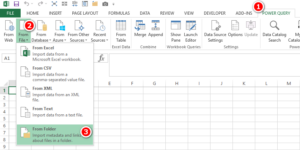
Today I am sharing how I use Power Query as a file audit tool to support a regular task I complete every week. The objective of this post is to create broader awareness of how great Power Query is to solve different types of problems, and to possibly get you thinking about other problems you have that could be solved with this tool.
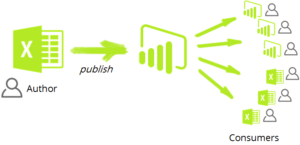
Recorded a brief demo video of this feature, embedded below. Analyze in Excel is reported to be working for some free accounts but not all (does not work for me). Does work for Paid/Pro accounts. If you use multiple accounts you may need this workaround.
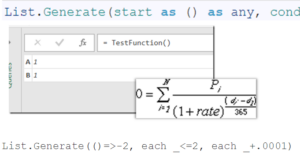
An article that includes a simple tutorial on how to create tables in Power BI with M written by the experts at P3 Adaptive.
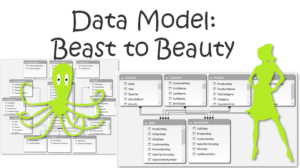
An article on Data Modeling for Power Pivot and Power BI as well as a brief explanation about what we do written by the experts at P3 Adaptive .

My last 2 blog posts have been about data compression – that theme continues today. In December I blogged about the basics of compression and impacts that columns have on file size and did some testing with randomised data.
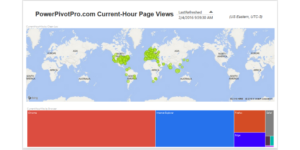
An article on what is possible with an embedded Power BI dashboard and Google Analytics from the experts at P3 Adaptive .
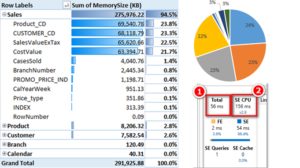
I was relaxing during my vacation thinking some more about column compression in Power Pivot.
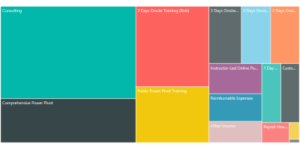
For a couple years now, we’ve been quite a bit bigger than the two-person operation of our early days. Like I mentioned in a previous post, there are now somewhere between 15 and 20 people who work for us in some capacity ranging from full-time to part-time.

Over the last 12 months I have engaged with may people from lots of different companies on the topic of Power Pivot.
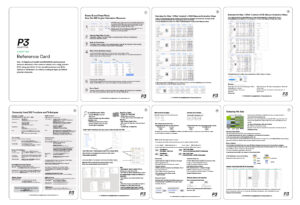
A long time coming… The Finalized 8-Page “Reference Card V2” – Download it for Free Below Yes, this took me forever. I first posted about it more than