
How to Get Power BI Service to Work for You
I’ve been using the Power BI Service (PBIS) daily for five months, and before that, I consulted on challenging DAX problems for over a year.
 P3 Adaptive
I’ve been using the Power BI Service (PBIS) daily for five months, and before that, I consulted on challenging DAX problems for over a year.

The scenario – source data sheets that are structured differently! Does Power Query sometimes seem too rigid? It’s great for defining a sequence of transformations to clean your data but […]

A long time ago a peer in Financial Planning and Analysis said “Financial Planning starts in the home.” I modified the statement to “Data analytics starts in the home.”

And another one bites the dust… this month the Power BI team have only delivered the #1 most requested feature on the Power BI Ideas forum.

As a ‘water cooler’ of sorts for this community, we meet some amazing people. Doug Burke shares with us how easy Power Query makes it to do powerful cleaning with a click of the mouse.
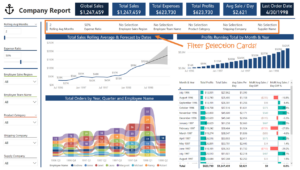
Hello P3 Adaptive Nation, I’m excited to be back and writing a technical post again…it’s been too LONG!

Trailing twelve months (TTM) Power BI. Show each month and total trailing twelve months (TTM), the total for prior TTM, AND the variance in one table.

When I was first introduced to PowerPivot five or six years ago, I knew it would serve me well in my FP&A function.
Two weeks ago I wrote a blog post about how to create a set of data with Consecutive Days using SQL or Power Query.

n today’s fast-paced digital world, information is power, especially when it comes to mastering the intricacies of software development and deployment.

Buckle in folks, this is going to be a long and engaging article. As we enter 2018, I realized that I’m approaching the one-year anniversary of my first blog post here at P3 Adaptive !

Hello P3 Adaptive World! My name is Krissy Dyess and I have had the most amazing experience working as a full-time consultant at Power Pivot Pro since April 17, 2017!