
Why You’re Doing Both Without Realizing It
Let me ask you something. When you think about AI projects, what do you picture?
Most people land in one of two camps. Either they’re thinking about using AI tools to make applications faster – things like Claude Code and GitHub Copilot helping developers crank out code. Or they’re thinking about applications that have AI running inside it at runtime, making decisions and producing work.
And that’s a false choice.
You’re probably doing both already. And if you’re not, you will be soon without even planning it that way.
Should Businesses Invest in AI-Assisted Development or AI-Powered Applications?
Wrong question.
Rob asked Justin this exact question on a recent episode. Over the next four years, which matters more? Using AI to build traditional software faster, or building software with AI at runtime?
Justin’s answer wasn’t what you’d expect from typical AI consulting advice.
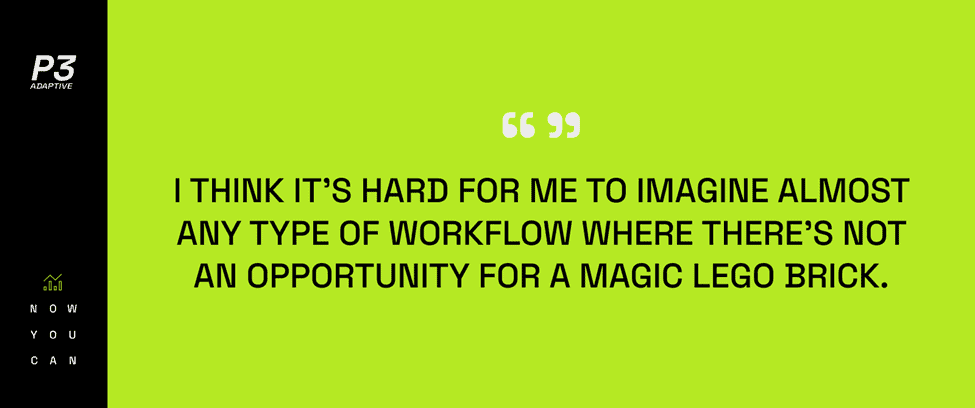
“I think it’s hard for me to imagine almost any type of workflow where there’s not an opportunity for a magic Lego brick.”
What he means is this: once you start building custom software with AI assistance, you naturally find spots where AI belongs inside the runtime too. Not because you set out to build an AI application. Because once you’re in there working, you see where it fits.
The distinction between AI-built and AI-powered starts to blur pretty fast.
What’s the Difference Between Using AI to Build Software and Building Software With AI?
The difference matters less than you think.
AI-assisted development means tools help you write code faster. You’re still building traditional applications. The AI is in your development environment, not in the final product.
AI-powered applications have LLMs running at runtime. When users interact with the software, they’re interacting with AI that’s making decisions, interpreting context, producing responses.
In theory, these are separate things. In practice? They overlap constantly.
Here’s why. When you’re using AI tools to build software, you’re moving fast. You’re iterating quickly. You’re trying things that would’ve taken weeks in the old world.
And while you’re building, you spot places where regular code is clunky. Where you’re asking users to do interpretation work that an LLM could handle better. Where the workflow would feel more natural if it could understand context instead of following rigid rules.
So you drop in a magic Lego brick. One piece of AI at runtime that transforms the experience.
You didn’t plan an AI project. You just saw where it fit and added it because the incremental lift wasn’t massive.
How Does AI Consulting Help Companies Build Better Custom Software?
Good AI consulting services don’t push you toward one approach or the other.
We’re having conversations with clients right now where the real question isn’t “should we build AI software?” The real question is “where does AI actually help versus where does regular code do the job fine?”
The answer is almost never “everywhere” and almost never “nowhere.”
Most custom software projects we’re seeing follow the same pattern. You’re replacing a VBA workflow that’s held together with hope. Or you’re building something that doesn’t exist because no SaaS vendor cares about your specific edge case.
That’s traditional custom software work. Always has been.
But while you’re building it, you find spots. Customer service workflows where someone needs to understand what a frustrated customer means versus what they literally said. Data entry processes where messy input needs to map to clean systems. Approval workflows where context matters more than rigid rules.
Those spots are perfect for AI at runtime. And because you’re already using AI to build faster, adding those pieces isn’t the heavy lift it would’ve been three years ago.
You’re building both without choosing to build both.
When Should You Add AI to Existing Business Workflows Versus Building New AI Solutions?
Here’s something that’s easy to miss – you don’t need to choose between retrofitting AI into existing workflows or building new AI-native solutions from scratch.
Most projects end up being a third option. You’re building new custom software to replace something that doesn’t work anymore. And while you’re building it, you add AI where it makes sense.
The VBA macros running your plant right now don’t have AI in them. The expensive SaaS tool you’re overpaying for doesn’t have AI customized to your business.
When you replace those things, you’re not building AI applications. You’re building better versions of what you had. Faster to create because AI tools help you build. More intuitive to use because AI shows up in exactly the right spots at runtime.
The incremental implementation lift is smaller than you think once you know where those spots are. You’re not rewriting entire applications around LLMs. You’re identifying one or two points where an LLM adds something regular code can’t provide.
Then you drop it in.
What This Means for Your Next Project
AI consulting that’s worth anything helps you see this pattern before you waste time and money.
You don’t need to rebuild everything AI-first. You don’t need to ignore AI and stick with traditional approaches. You need to build what solves your actual problem, use AI tools to build it faster, and put AI inside it where it helps.
The custom software replacing your fragile workflows won’t be marketed as AI solutions. They’ll just be better. Faster to build. More flexible when your needs change. More intuitive because they understand context instead of forcing users through rigid processes.
We’re building traditional applications at speeds that weren’t possible two years ago. Then we’re finding spots to put AI inside the code itself. Not because we planned it. Because once we’re building, we see where it fits.
Pretty cool stuff.
The Pattern You’ll See Everywhere
Look for the spots where people are currently doing interpretation, translation, or judgment work that feels repetitive but requires context. That’s where AI at runtime belongs.
Build everything else the normal way. Use AI tools to build it faster.
We’re seeing this pattern consistently with clients. The projects that work aren’t the ones with the most AI. They’re the ones that put AI in exactly the right spots – both in the development process and in the final product – and leave everything else alone.
If you’re trying to figure out where AI belongs in your operations versus where you’re fine without it, schedule a call today. We can help you find the best path forward for your project!
Get in touch with a P3 team member